Home/Case studies/Macrulez Platform Tools
Vue 3Node.js · ExpressPostgreSQLDockerxterm.jsPet project

Files, database
and terminal —
right in the browser

A file manager and a multi-tab terminal — for any running container on the platform, not just the panel itself. Alongside them, a browser and SQL editor for the panel's own PostgreSQL database. Fix a config, check a table, run a command — without a separate SSH client.

3tools in one module: files, DB, terminal
Anyplatform container — for the file manager and terminal
5terminal tabs at once, each with its own container
0SSH sessions needed to get in
The problem

Open SSH
again, just for
something trivial?

Deploying and monitoring containers is a separate case study. But even when the build and the logs are under control, any small task inside an already-running container — fixing a config, peeking into a Postgres table, running a command — almost always means a separate SSH client, a tunnel, and trying to remember which container it is and where it's running.

The file manager and the multi-tab terminal solve this right inside the admin panel: both work with any running container on the platform, picked from a single shared list — not just with the control panel itself. Alongside them is a browser for the panel's own PostgreSQL database, where the root cause is usually visible: a broken config or a failed migration.
What was built

Three tools,
zero SSH sessions.

A file manager and a terminal — with container selection from a shared list. Alongside them, a full-featured browser for the panel's own PostgreSQL database.

01

File manager — any container

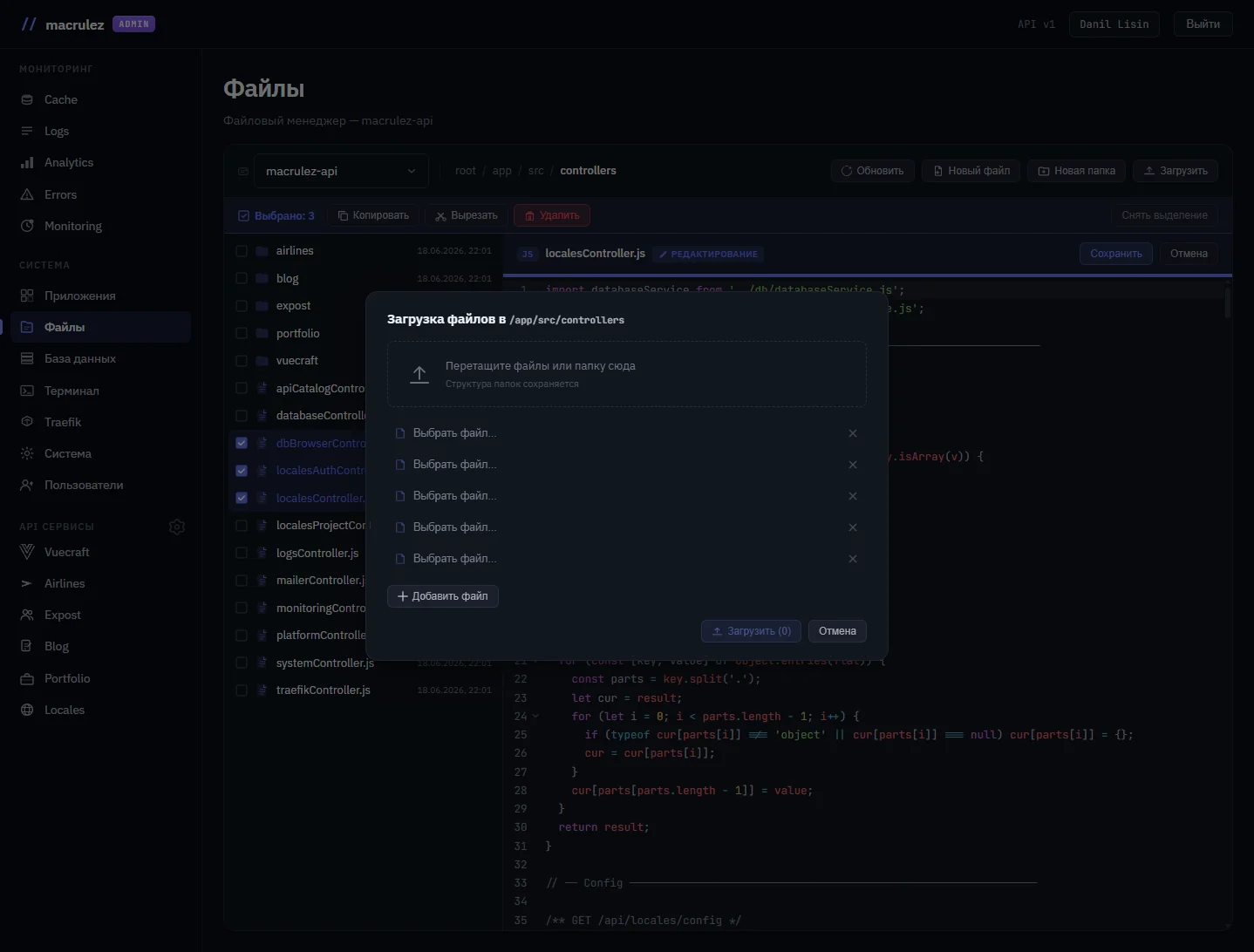
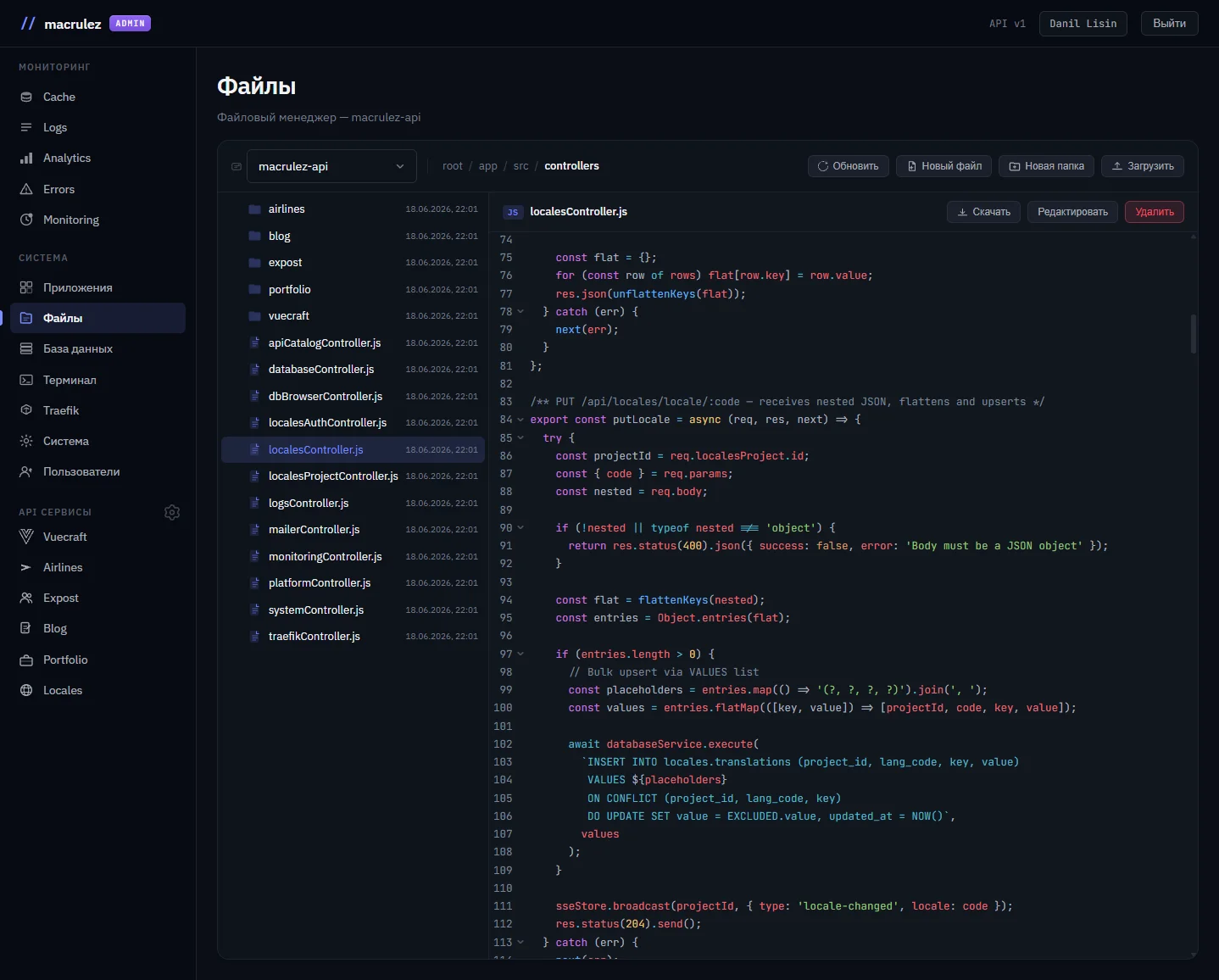
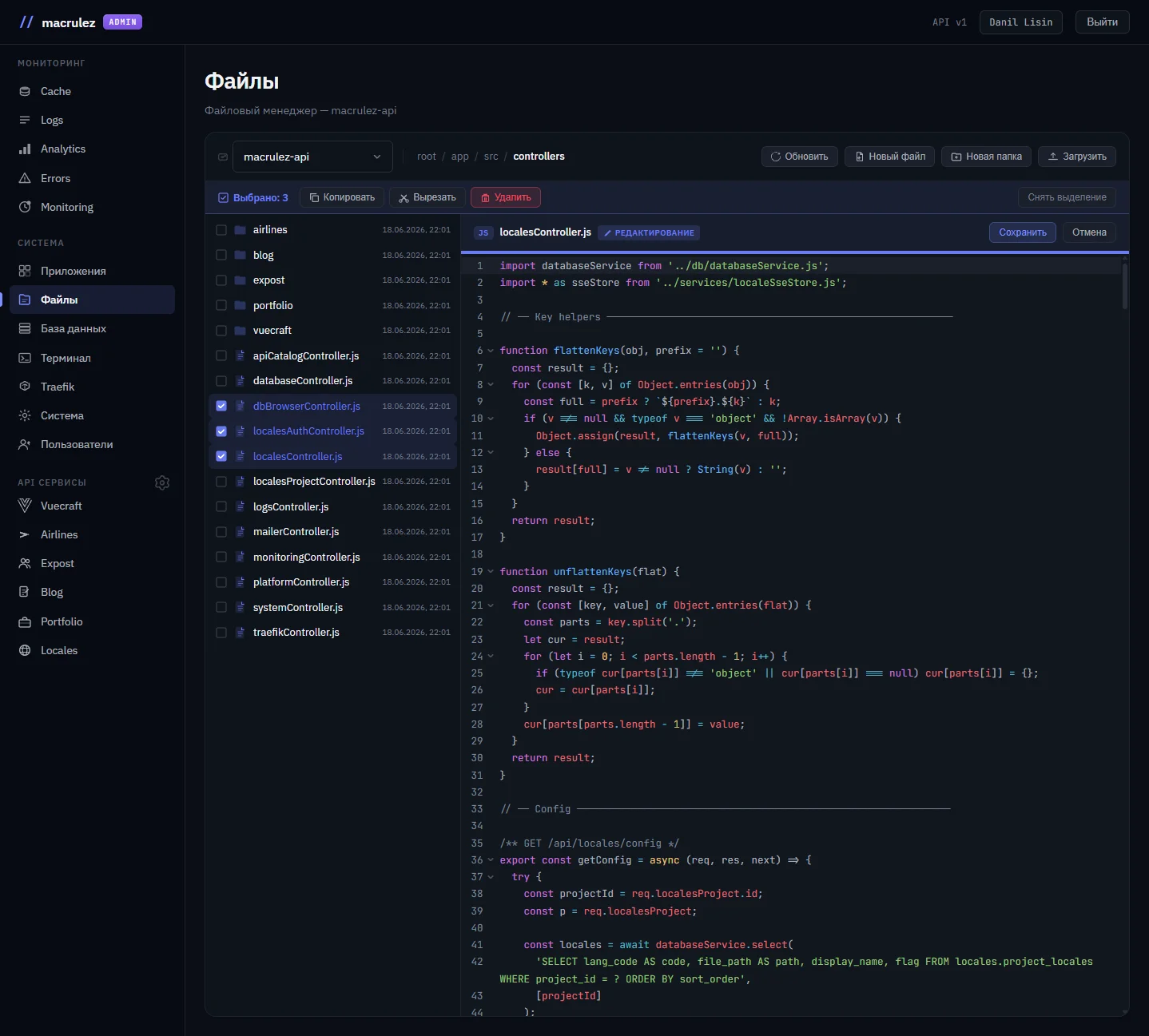
Pick a container from the list (shown by its human-readable deployment name, not the technical app-<uuid>) — then browse the directory tree inside it: listing via find + stat, reading and editing text files, mkdir / copy / move / delete, download and multi-file upload. All through the Docker Archive API, without a single SSH connection.

Docker Archive APImulti-containerupload/download
02

Catalog: schemas and tables at hand

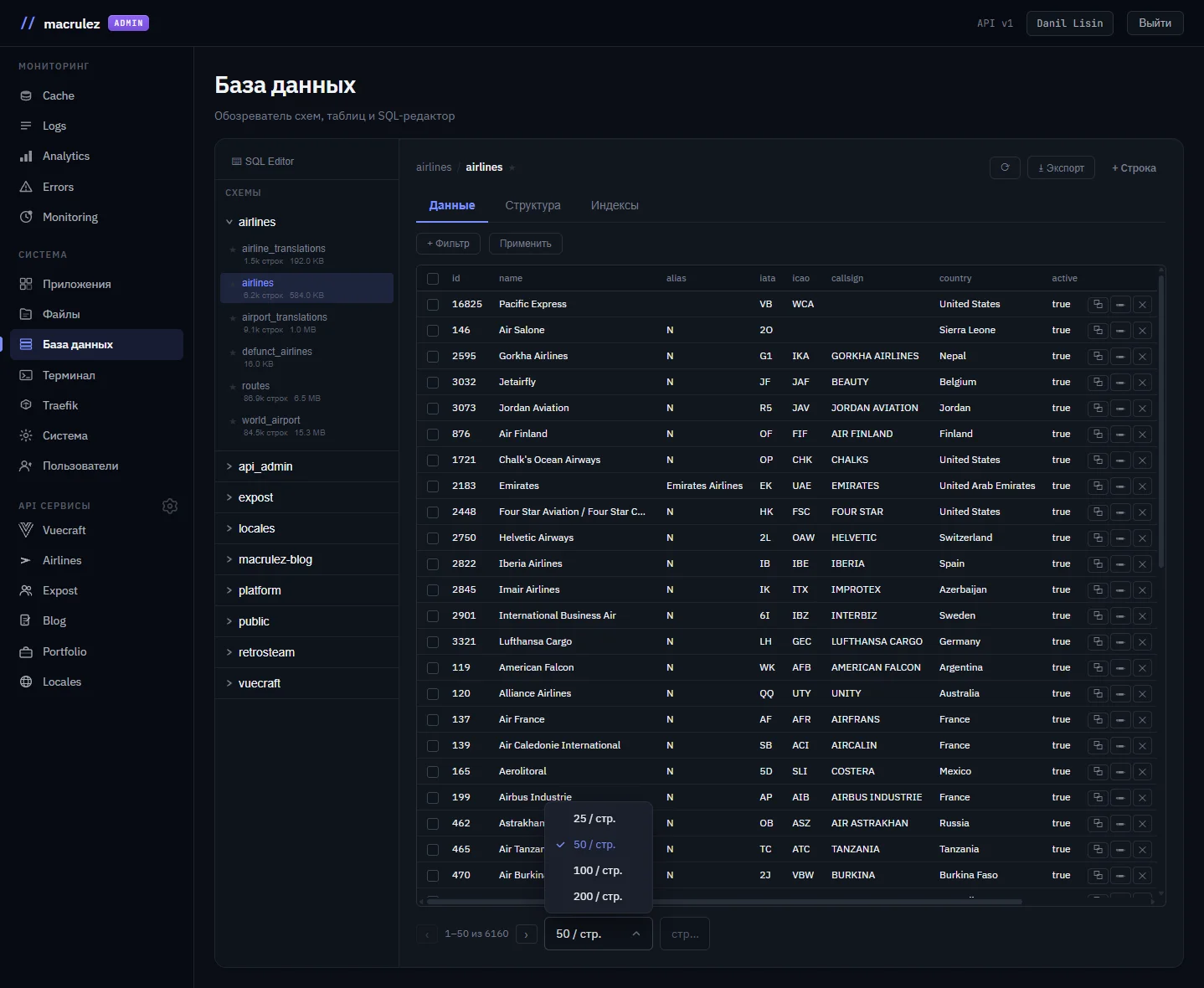
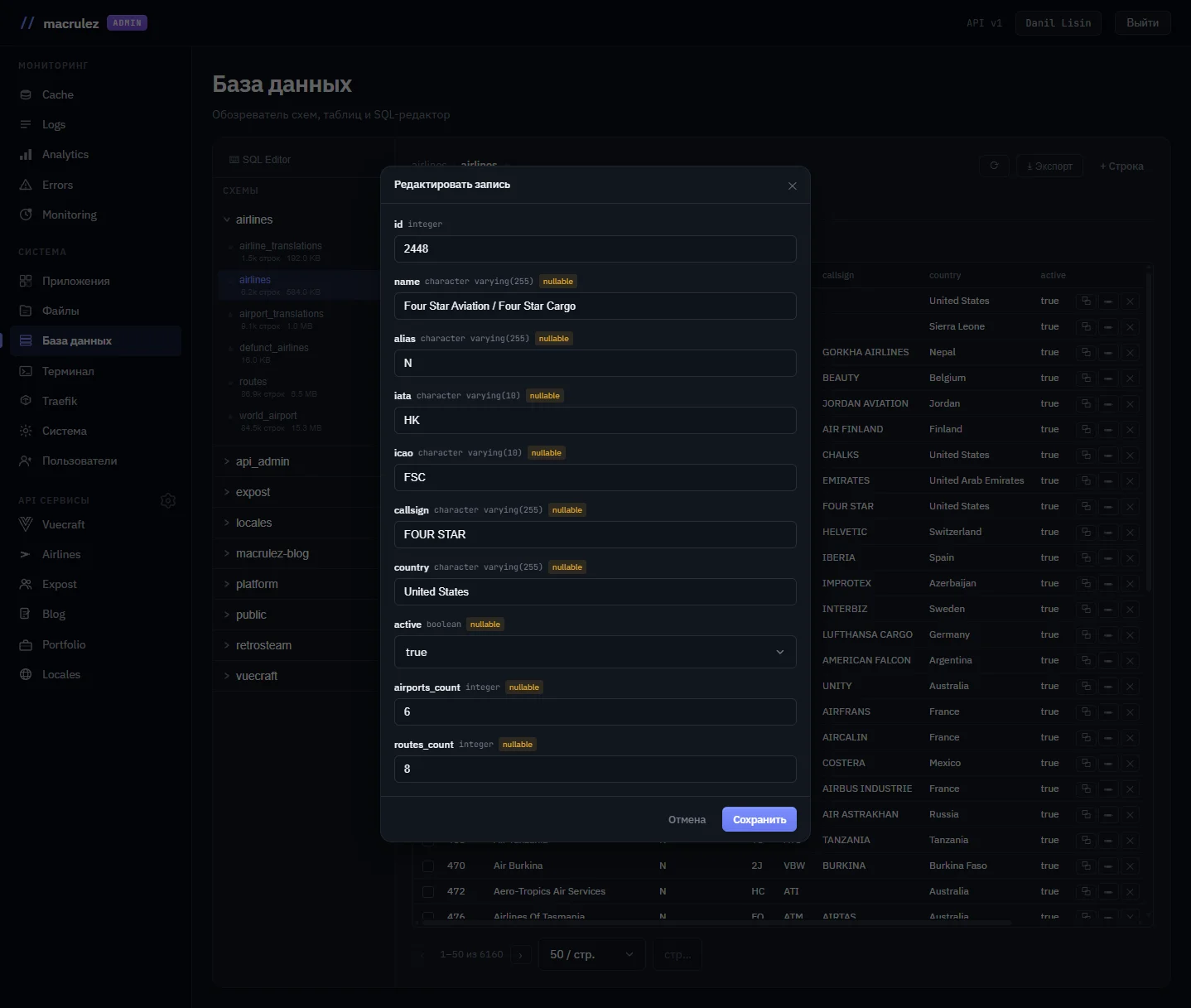
A schema and table tree with search and favorites, badges for size and row count, and object type (table / view / materialized view). "Data" / "Structure" / "Indexes" tabs: PK / UQ / FK markers right on the columns, and clicking a foreign key jumps straight to the related table. Multi-filters, bulk selection, inline cell editing, CSV export.

PostgreSQL catalogFK navigationbulk opsCSV export
03

A SQL editor that knows the schema

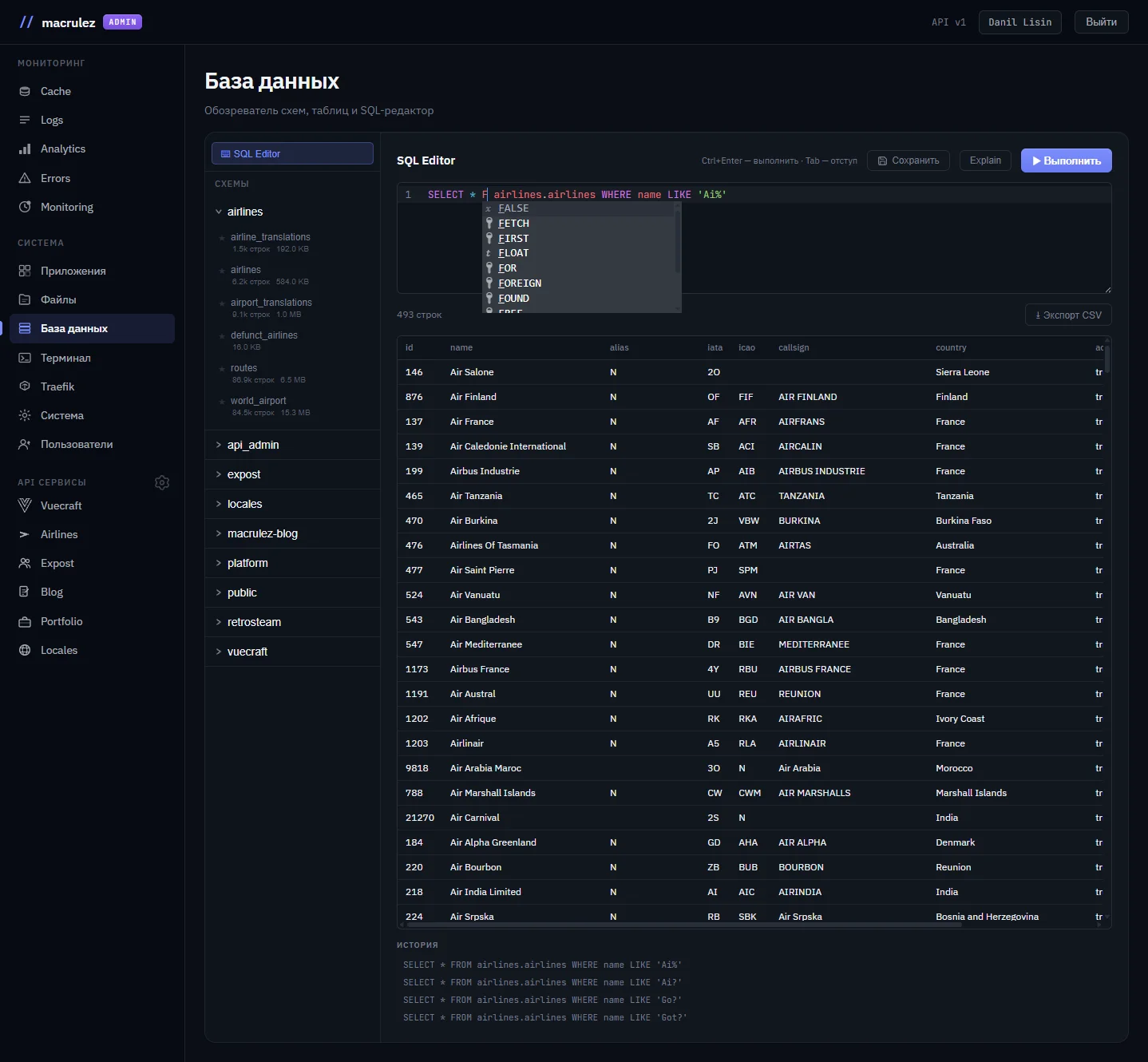
A CodeMirror-based editor with syntax highlighting and autocomplete that knows the real schemas, tables, and columns of the current database. Query history and named saved queries. A confirmation step before running "dangerous" queries (DELETE / UPDATE / DROP without a WHERE clause), plus an EXPLAIN button.

CodeMirrorschema-aware autocompleteEXPLAIN
04

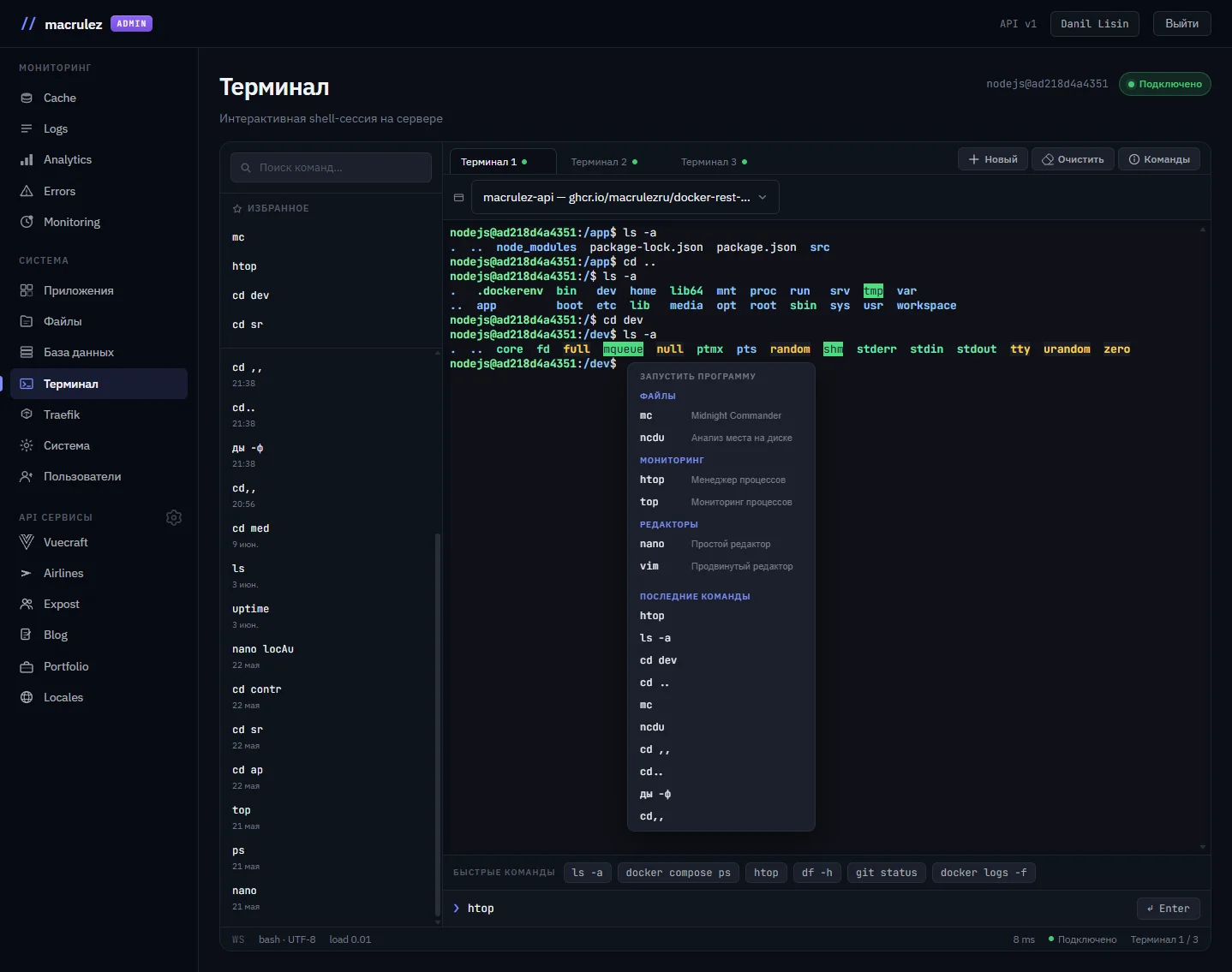
A terminal for several containers at once

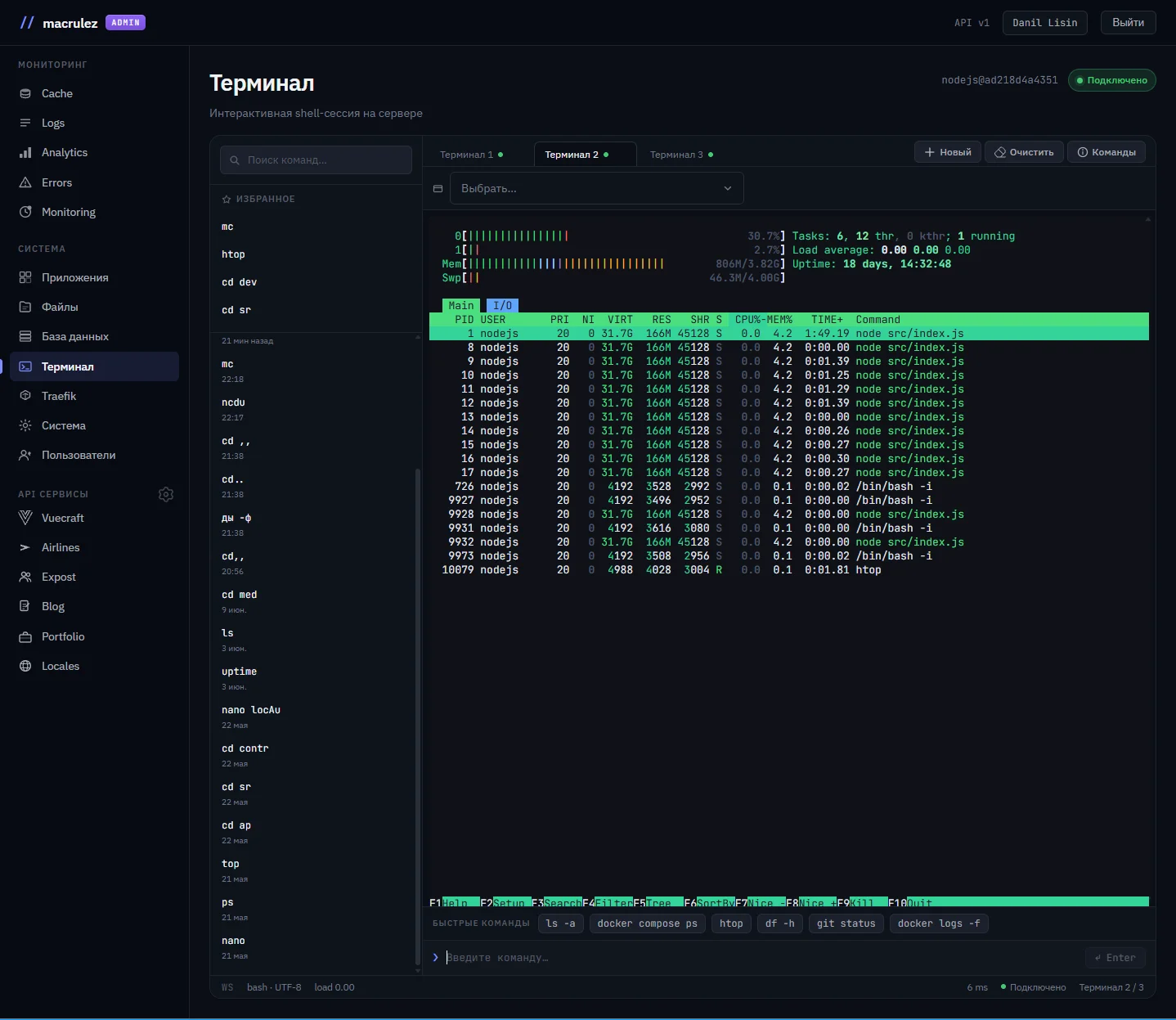
Up to 5 tabs at once, each with its own container picker in a dropdown right under the header. Switching containers in a tab reopens the session in the new one — the old session closes, while the tab and its history stay put. The shell (bash or sh) and the user identity are detected automatically on connect.

xterm.jsdocker execper-tab container binding
05

Quick commands and history without localStorage

History and favorite commands are saved on the server — available from any device. Quick-command chips (ls -a, docker compose ps, htop…), a right-click context menu with ready-made utilities grouped by category, and a reference modal listing which CLI tools are actually available inside the containers — files, monitoring, editors, networking, utilities.

server-side historyquick commandscontext menu
06

A shared container list — for files and terminal

The file manager and the terminal pull the list of running containers from the same endpoint — with the same human-readable deployment names. Pick a container in one module and it's instantly recognizable in the other, with no need to cross-check a technical ID from docker ps.

single source of truthconsistent UX
Under the hood

Non-obvious
decisions.

The details that make the difference between "sort of works" and "works with any container."

  1. 01
    Files and shell — one engine, no interference

    The file editor and the interactive terminal both run over the same docker exec channel, but behave differently: a "save file" command runs and returns its result instantly, while a terminal session keeps a live input/output stream open for as long as the tab stays open. That separation is what lets both tools run against the same container at the same time without stepping on each other.

    docker execfiles + terminalno blocking
  2. 02
    File uploads — no extra weight in the project

    Saving, downloading, and batch-uploading files inside any container all go through the native Docker Archive API — no third-party archiving library in the dependency tree. Less code in the project, and a smaller surface for bugs and dependency updates.

    Docker Archive APIno extra dependencies
  3. 03
    Foreign keys are links, not just text

    In the "Structure" tab, a foreign key isn't a label — it's a clickable jump to the related table. For this to work just as reliably on a simple table and on a schema with dozens of cross-references, all relationships are gathered in a single query, rather than a batch of separate database round-trips per column.

    PostgreSQLFK navigationsingle query
  4. 04
    Index composition, in plain language

    The "Indexes" tab shows which columns make up a composite index or constraint as a simple comma-separated list — not PostgreSQL's internal format, which turns into an unreadable string without explicit processing.

    PostgreSQLreadable indexes
  5. 05
    Connecting to a container — no guesswork

    An arbitrary platform container doesn't always have bash, and there's no way to know in advance which user you'll land as. The terminal figures all of this out in one quick exchange on connect — and opens the session with the correct shell right away, with no delays and no trial-and-error guessing.

    automatic shell detectionno delays
In action

No SSH,
start
to finish.

One of the deployed services starts returning 500s. I open "Databases" — find its record in the deployments table, and spot a broken value in the JSON column holding the runtime variables.

I switch to "Files", pick the same container — open .env next to the settings, and check the environment variables. The problem isn't the environment — so it's in the code.

I open "Terminal", pick the same container in a tab — run node -e … right inside its environment to reproduce the error. Not a single SSH client tab, not one manual docker exec from the host.

Without these modules, this scenario would look different: editing via psql on the host, SSH, and docker exec into the right container — here it's just viewing a record in the browser and a couple of clicks between tabs already open in the panel.

Screenshots

What it
looks like.

"The best diagnostic tool is the one that doesn't make you switch between five different terminals and try to remember which one you're currently in."

— from building Macrulez Platform Tools
Next step

Need admin tools for your own platform?

I design and build admin tools of any complexity: from file managers to database browsers and web terminals. I work with Vue 3, Node.js, and Docker.